Monday
Monday is a project management tool that helps teams plan, track, and manage their work.
Authentication Types
Monday supports 3 authentication methods:
-
OAuth - Create your own Monday app with custom scopes. Every user connects with their Monday account.
- Pros: Full control, per-user tracking, production-ready
- Cons: ~2 min setup
-
Instant OAuth - Use Webrix's pre-configured Monday app for the fastest setup.
- Pros: Fastest setup, no configuration needed
- Cons: Limited scopes, not recommended for production
-
API Key - Use a personal API token for all users.
- Pros: Easy setup
- Cons: Less secure, no per-user tracking
Setting up OAuth
-
Go to
https://{your-org}.monday.com/apps/manage -
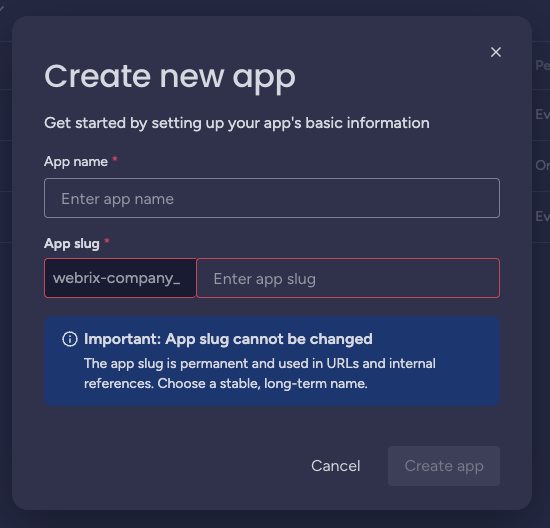
Click Create app, enter an App name and App slug, then click Create app
-
Copy the Client ID and Client Secret from the app's General Settings
-
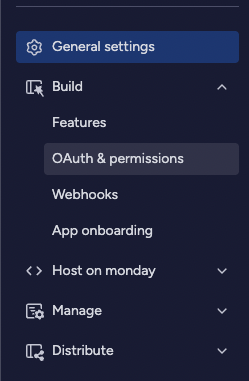
In the left sidebar, go to OAuth & permissions
4.1. Select the Scopes your app needs
4.2. Under Redirect URIs, add: https://{your-org}.mcp-s.com/{your-org}/api/auth/callback
-
In Webrix, paste the Client ID and Client Secret
-
Select the same scopes you configured in Monday
-
Click Save Changes
Generating an API Key
-
Go to monday.com
-
Click on your avatar in the bottom left corner
-
Select Developers
- Go to My access tokens tab
- Click Show next to your personal API token (or generate one if you don't have one)
- Copy the token and paste it into Webrix